Compress.
Locally.
In bulk.
A desktop app that compresses video, images, audio, and PDFs in one queue. Everything runs on your machine. Video encodes use your GPU when one is available.
Local encoders, one batch, no size limits.
Runs offline
Files stay on your machine. There are no accounts, no uploads, and no telemetry. The app makes no network calls except to check for its own updates.
One queue for everything
Drop a folder with MP4s, HEICs, FLACs, and PDFs together. Each file goes to the right encoder: FFmpeg, native Rust image codecs, or Ghostscript.
Parallel where it helps
Images run up to eight at a time. Audio and PDF batches run several files at once. Video and GIF run one at a time because those encoders already use every core.
GPU encoding, checked first
NVIDIA NVENC on Windows and Linux, Apple VideoToolbox on macOS. Each encoder is verified with a test encode at startup. If it fails, the app uses software encoding for the rest of the session.
v1.2.1
Round-2 efficiency: native macOS FFmpeg, audio cover art, GIF memory, faster thumbnails by @Ismael-Barajas in https://github.com/Ismael-Barajas/compressions/pull/14
Four media types, one queue.
What it can do.
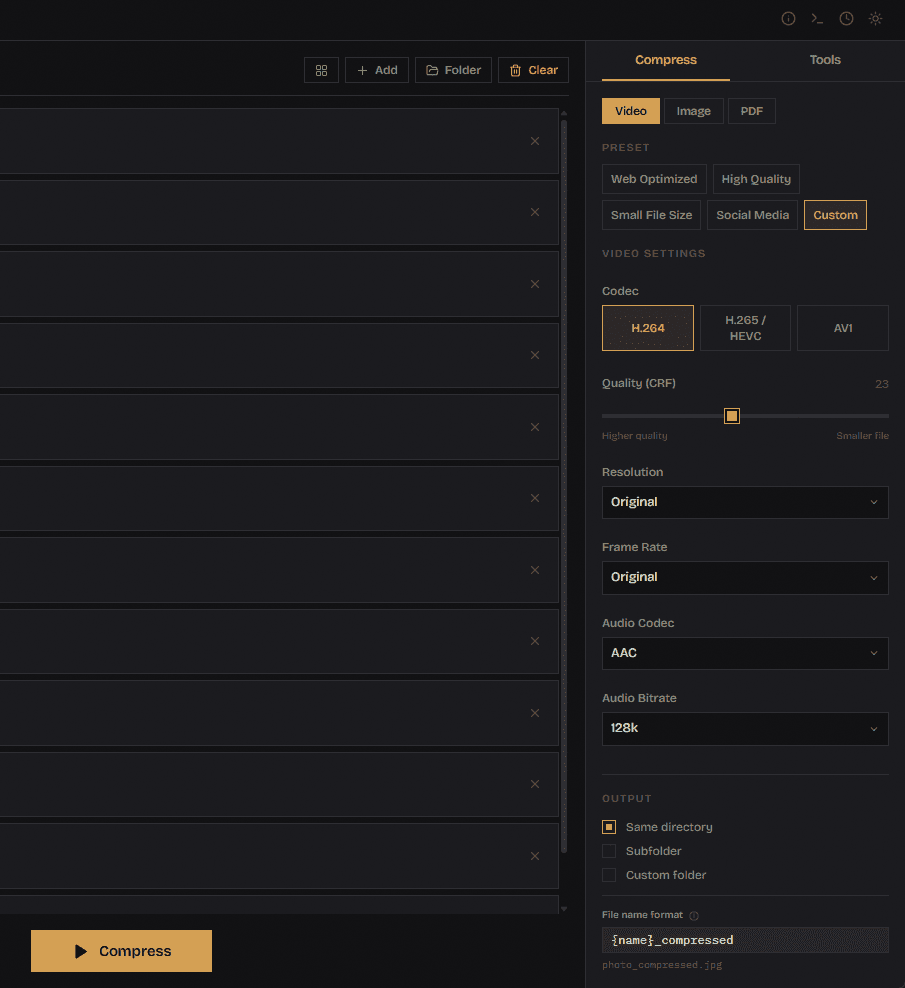
Video: codec, quality, size, and frame rate.
H.264, H.265, or AV1. Quality by CRF from 0 to 51, or a bitrate. Downscale to 4K, 1080p, 720p, or 480p with the aspect ratio kept. Set the frame rate, choose an audio track codec, and turn on FastStart for web playback.
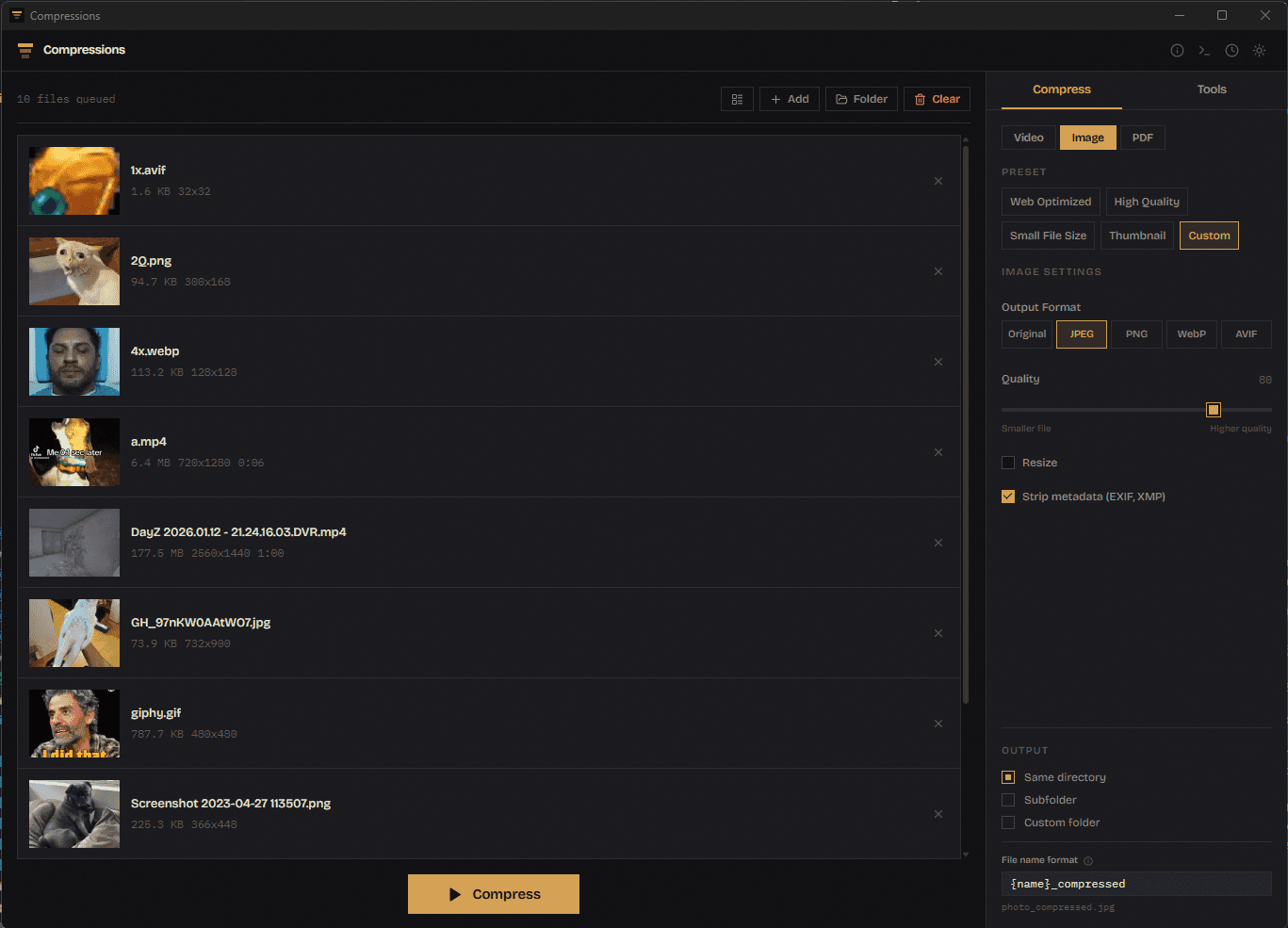
Images: JPEG, PNG, WebP, AVIF, and animated GIF.
MozJPEG, oxipng, WebP, and AVIF encoders run in Rust, up to eight files at a time. Resize by one dimension or both, strip or keep EXIF. Animated GIFs are re-quantized frame by frame and stay animated.
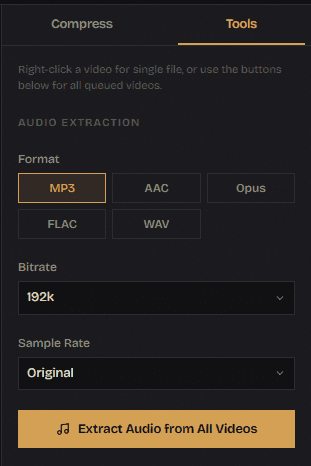
Audio: compress, or pull it out of a video.
Output MP3, AAC, Opus, FLAC, or WAV, or keep the source format. Bitrate presets from 64k to 320k or a custom value, and a sample rate of your choice. Right-click any video to extract its audio in the same formats.
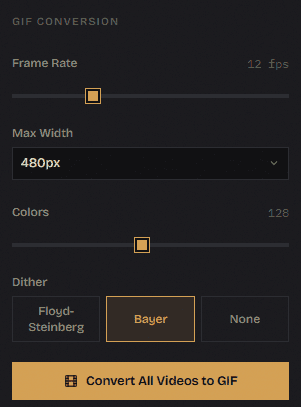
PDFs, and video to GIF.
PDF presets Screen, Ebook, Printer, and Prepress through Ghostscript, with an image DPI override. GIF conversion builds the palette and encodes in a single FFmpeg pass, with controls for frame rate, width, color count, and dither.
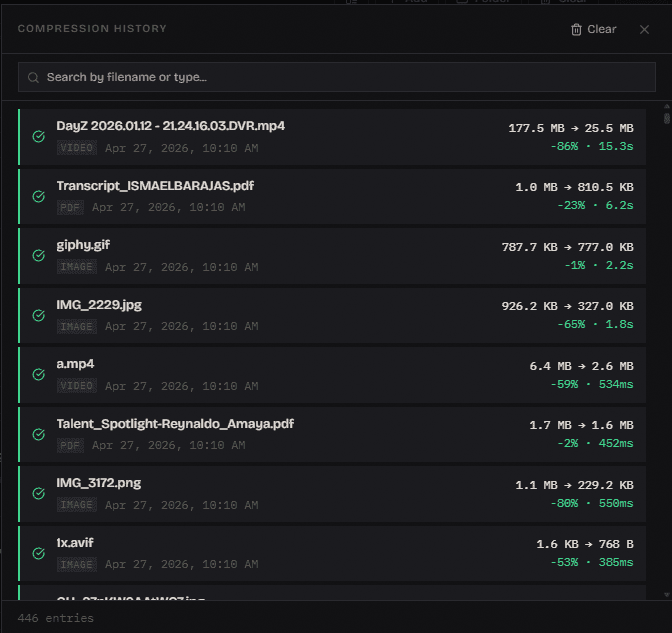
History and logs.
A searchable history of the last 1000 compressions with size savings and duration. A log viewer that filters by level and keeps seven days of daily logs. Every parameter is validated before a job starts.
Four steps.
- STEP 01Add filesDrag in files or a whole folder. Folders are scanned recursively and hidden directories are skipped. Ctrl or Cmd+V pastes copied files or a screenshot.
- STEP 02Pick a preset or set it yourselfVideo: Web Optimized, High Quality, Small File Size, Social Media. Image: the same plus Thumbnail. Change any setting and it becomes Custom.
- STEP 03Press SpaceThe queue starts. You can add more files while it runs, pause and resume, cancel everything, or cancel and retry a single file.
- STEP 04Find the outputSame folder, a subfolder, or a folder you choose. Name files with {name}, {date}, and {time}. Nothing is overwritten; duplicates get _2, _3 suffixes.
Downloads.
Free and MIT licensed. Installers are published on GitHub Releases, and the app updates itself after that.